Slackware64-Current (15.0): mini-ITX it87 ITE 8688 sensor
Posted on Jan 20, 2020 by kingbeowulf
In the "what could go wrong category" for information found on the interwebs, there is a work around for the missing support for the 0x8688 sensor in the new Gigabyte GIGABYTE X570 I AORUS PRO motherboard. [EDIT: This seems to be applicable to any GIGABYTE AURUS X570 motherboard to at least kernel 5.4.x]
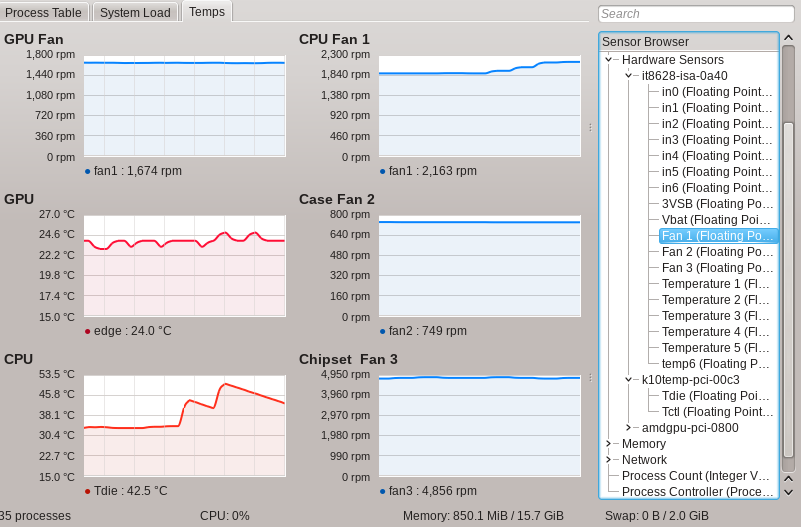
Out of the box, CPU temperatures/voltages are available (k10temp), as are GPU temperatures/fan and voltages (amdgpu). Motherboord and CPU fans however are missing. To the kernel boot parameters in '/boot/efi/EFI/Slackware/elilo.conf' add 'acpi_enforce_resources=lax':
1image=vmlinuz
2label=vmlinuz
3initrd=initrd.gz
4read-only
5append="root=/dev/sda2 vga=normal ro acpi_enforce_resources=lax"
Then load the it87 module in rc.local (or /etc/modeprobe.d/ if preferred):
1/sbin/modprobe it87 force_id=0x8628
to force the closest compatible sensor ID. Now, I have the sensor data. I'm not sure how accurate the motherboard temperatures and voltages are, but the fan speeds appear correct. Fan assignments were determined by unplugging each one to observe the drop to zero rpm.
Contact:
- kingbeowulf@linuxgalaxy.org
- mumble.linuxgalaxy.org:64738
- Libera.chat IRC
- ##slackware, #slackbuilds, #linuxgalaxy
Screamin' and a-streamin' !
- https://twitch.tv/kngbwlf
- https://www.youtube.com/@mylinuxgalaxy
Advertisement
Tired of Steam, Epic and other rip-off game "stores"? Check out Humble Bundle for your digital download needs! A portion of your hard-earned gaming cash goes to charity.
King Beowulf's Humble Bundle Referral CodeCitizen Science!

